Outlook Express
This 'How-To' document pertains to emails where you can not open the 'djvu' attachment. Below is How-To correct this problem for users of Outlook Express. Other e-mail programs may have similar options, however the steps below are for Outlook Express ONLY.
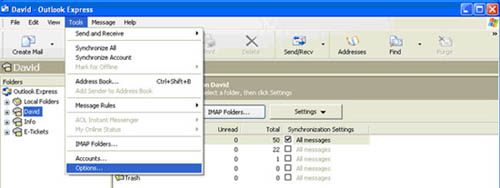
- Open Outlook Express
- Select Tools and Options
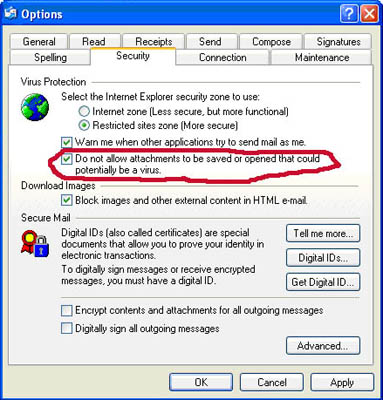
- Click on the 'Security' Tab and un-check the option circled below.
- Click on the 'Apply' button and then the 'OK' button. Close or Exit out of Outlook Express Double Click on the Outlook Express icon to re-open it. Your attachments should now be there.